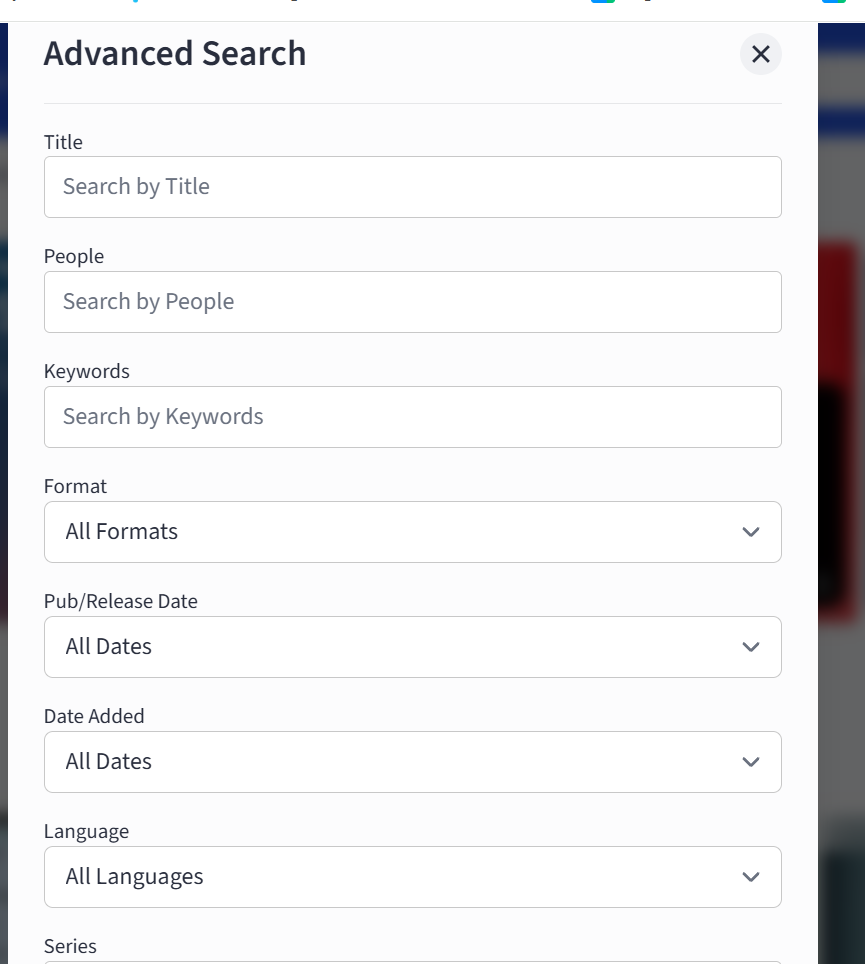
The Hoopla app gives patrons two levels of search functionality to help easily locate and identify specific titles.
A Basic Search is a search by a single term or phrase. This is used to perform a broad search to return a large set of results. For example, a basic search can be used to return all titles by a specific author or artist or a full listing of all products with anything related to ‘dogs.’
This is a good way to identify specific titles, series, or authors with limited information or to see a full listing of all available content regarding a specific interest. The drawback is that it can return hundreds, or even thousands, of results.
Advanced Search allows for the simultaneous use of multiple search criteria elements to refine and narrow search results. Patrons can use advanced search to limit results to a defined list of specific products and titles. For example, results can be limited to only CDs by a specific artist or movies released after a specific date starring a specific actor.
Available Advanced Search fields include:
Title: Search term that appears in title
People: Name of an author, artist, actor, or other title principal
Keyword: Keyword(s) related to title or its contents
Format: Desired media format, including audiobooks, eBooks, movies, music, comics, and television.
Release Date: Time frame (from current date) within which title was released. Note: Release dates of digital titles can vary from their physical counterparts.
Date Added: Select time frame (from current date) within which title was added to Hoopla. Note: This field represents the date titles were added to Hoopla platform, not the date originally released to the public. This is a great way for patrons to discover titles that have been recently added to Hoopla!
Language: Specified language
Series: Name of a series
Publisher: Name of a publisher
ISBN: The unique 10- or 13-digit book identifier. Note:ISBNs for physical and digital book versions of the same title are not identical. Searching for a physical ISBN will generally not show the associated digital title.